Gaming has changed. It is no longer just about grinding hours and hoping skill magically improves. Modern players want clarity, direction, and proof. That is exactly where MyGameRank gaming guides step in.
Instead of guessing why you lose matches or why progress feels slow, MyGameRank turns gameplay into understandable insights. It combines gaming performance tracking, community knowledge, and structured guides to help players improve with intention, not frustration.
Whether you play casually on weekends or push ranked ladders seriously, these guides aim to help you improve gameplay skills using logic, data, and real strategies.
What Is MyGameRank & Its Gaming Guide?
MyGameRank is a gaming performance tracking platform designed to help players understand how they actually play, not how they think they play. It connects with supported gaming accounts and analyzes performance across different titles.
What sets MyGameRank apart is its gaming guide section. Instead of showing raw numbers alone, it explains what those numbers mean. You get actionable gaming insights, not confusing charts with no context.
The platform focuses on:
- Player performance analysis
- Gaming stats tracking across matches
- Skill progression paths
- Game walkthroughs and tips aligned with real performance
This approach matches how professional esports teams analyze gameplay, a method widely discussed by trusted sources like Esports Insider, GDC talks, and official developer blogs from studios such as Riot Games and Valve.
Key Features of the MyGameRank Gaming Guide
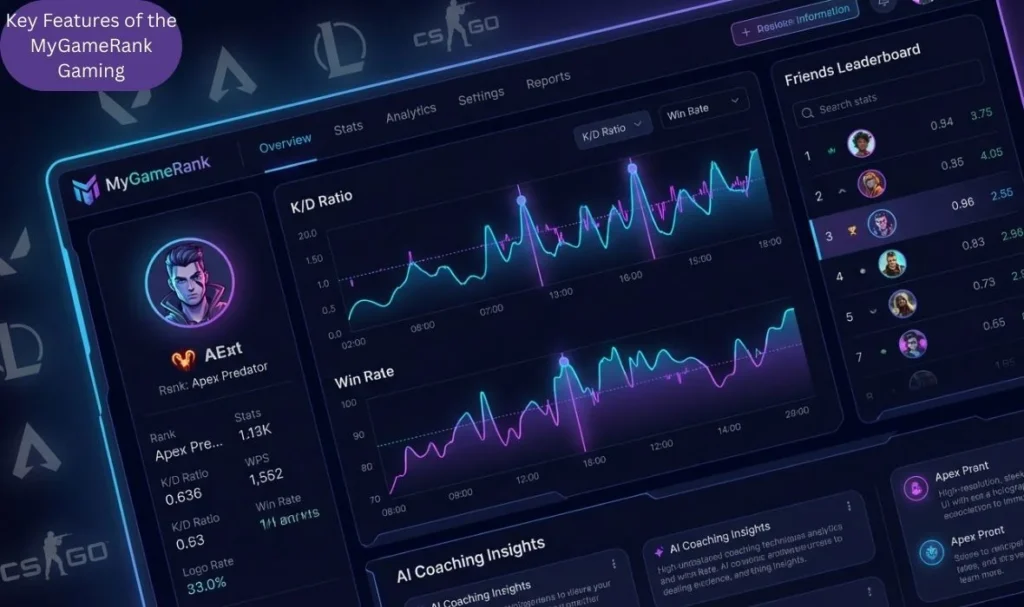
Comprehensive Performance Tracking
MyGameRank tracks metrics such as:
- Win rate analysis
- Kill death ratio (K/D)
- Accuracy tracking
- Objective-based gameplay patterns
Instead of treating these as vanity numbers, the platform shows performance trends over time. This helps players spot improvement or stagnation early.
Dynamic Player Ranking System
Unlike basic win-loss rankings, MyGameRank uses a player ranking system for gaming that considers consistency and efficiency. This mirrors ranking logic discussed in competitive design articles by developers like Blizzard and Riot.
Leaderboards allow ranked competitors to compare, which helps players understand realistic benchmarks.
Game Discovery & Recommendations
Based on playstyle and habits, MyGameRank suggests games and modes that suit you. This supports smarter engagement and prevents burnout.
Community-rated lists and reviews also help players avoid wasting time on games that do not match their preferences.
Community Engagement
Learning accelerates when it is social. MyGameRank works as a gaming community platform, offering:
- Shared gameplay stats
- Community leaderboards
- Player feedback forums
This mirrors best practices seen in competitive gaming ecosystems, where peer comparison drives growth.
Customized Gaming Profiles
Players can personalize profiles with:
- Favorite games and genres
- Playstyle goals
- Connected accounts in one dashboard
This creates a single view of progress and supports gaming profile customization without data overload.
Also Read More :PlugboxLinux: Contact, Gaming, Tech Features, and Complete Overview
How MyGameRank Guides Help You Improve – Gameplay Strategies
1. Identify & Focus on Weak Spots
Most players say, “I just need to play more.” That rarely works.
MyGameRank highlights positioning mistakes, accuracy dips, and repeated decision errors. This helps players create a personalized improvement plan instead of random grinding.
Clear goals like improving accuracy or reducing early deaths feel achievable when progress becomes measurable.
2. Learn From Data + Community
The platform blends data-driven gameplay with real player behavior.
Guides explain:
- Gameplay mechanics breakdown
- Why certain weapon loadouts perform better
- How top players approach similar situations
Comparing your stats with community averages supports competitive player comparison without ego damage.
3. Build Smart Training Habits
Improvement comes from structure, not obsession.
MyGameRank promotes:
- Structured practice sessions
- Gaming training drills
- Efficient gaming habits
This aligns with research from cognitive performance studies often referenced in game development conferences, where focused repetition beats long, unfocused play sessions.
4. Keep Up with Game Meta
Games evolve constantly. Patch updates change balance, mechanics, and optimal builds.
MyGameRank updates guides to reflect:
- Patch updates and meta shifts
- Best gaming builds and loadouts
- Advanced gaming tactics
This prevents players from relying on outdated strategies, a common mistake even experienced gamers make.
5. Defensive & Mental Growth
Mechanical skill matters, but mindset decides consistency.
The platform helps players track:
- Repeated death zones
- Poor decision-making in games
- Tilt patterns
By encouraging reflection, MyGameRank supports mental gameplay improvement and helps players avoid tilt, a concept widely discussed in professional esports psychology resources.
How to Get Started with MyGameRank Gaming Guides
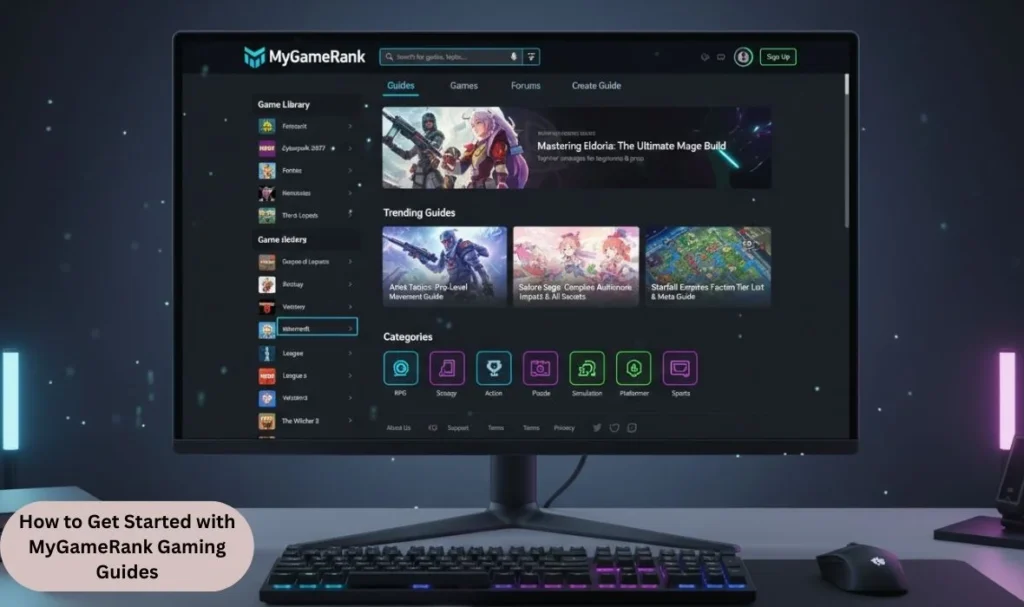
Ready to level up your gaming skills? Here’s your complete roadmap to unlock your full potential with MyGameRank:
1. Sign Up & Link Your Accounts
Create Your Foundation
- Visit www.mygamerank.com and click the “Sign Up” button
- Provide your email, username, and a secure password during registration.
- Check your email for a verification link to activate your account and gain full access
- Link your gaming profiles from Steam, PlayStation Network (PSN), and Xbox so the platform can automatically pull your performance data
- The more platforms you connect, the more comprehensive your performance picture becomes
2. Customize Your Profile
Make It Yours
- Upload a profile picture that represents your gaming identity
- Add your favorite games and preferred genres to your profile
- Define your gaming goals (e.g., “Reach Diamond rank in League of Legends” or “Improve K/D ratio by 20%”)
- Set your preferred playstyle (aggressive, defensive, support-focused, etc.)
- Adjust privacy settings to control what others can see about your stats and achievements
- Customize your profile to showcase achievements, favorite games, and gaming preferences
3. Explore the Guide Section
Dive Into Knowledge
- Browse guides covering over 100 popular game titles across various genres, including FPS, MOBAs, RPGs, battle royales, and strategy games
- Access game-specific content like character builds, map strategies, and weapon loadouts
- Review updated guides that reflect the latest game patches and meta changes, ensuring you’re never using outdated strategies
- Watch video tutorials that visually demonstrate advanced techniques and tactics
- Study performance graphs to identify your specific weak spots (accuracy, positioning, decision-making)
- Check out tier lists and meta-analysis for competitive games
4. Set Goals & Train Strategically
Build Your Training Routine
- Use your performance data to create specific, measurable goals (e.g., “Increase headshot accuracy from 45% to 55% in 30 days”)
- Follow personalized drill recommendations, aim trainers for shooters, and macro-decision exercises for MOBAs
- Practice with structured training sessions rather than just playing more matches
- Track your progress weekly to see if you’re meeting your benchmarks
- Adjust your training focus based on what the data reveals about your performance gaps
5. Join the Community
Learn From Others
- Participate in forums and discussions to share achievements with fellow gamers
- Connect with players who share similar gaming interests
- Compare your gameplay stats with higher-ranked players to understand their strategies
- Share your progress and ask for feedback on specific aspects of your play
- Join community events and contests for unique rewards and networking opportunities
- Engage in a supportive environment that fosters strategic collaboration and knowledge sharing
6. Review & Adapt
The Improvement Loop
- After each gaming session or weekly, review your updated statistics
- Analyze what’s working and what isn’t. Did your accuracy improve? Are you dying less in certain situations?
- Track mistakes like repeated death spots or poor positioning, and reflect on how to improve
- Adjust your goals and strategies based on what the numbers tell you
- Celebrate your wins and milestones to stay motivated
- Remember that improvement is a continuous cycle: practice → review → adjust → improve
Pro Tips for Success
- Stay Active: Regular profile updates and consistent play keep your data fresh and insights accurate
- Think Long-Term: Focus on building sustainable habits rather than quick fixes
- Balance is Key: Good gaming routines involve breaks and rest, which actually enhance performance
- Avoid Emotional Play: Use data-driven decisions to prevent frustration and tilt
- Explore New Games: Use MyGameRank’s recommendations to discover titles that match your playstyle or challenge your skills
MyGameRank transforms you from someone who just plays games into a strategic gamer who continuously improves through data, community wisdom, and expert guidance. Start today and watch your rankings soar!
MyGameRank vs Traditional Gaming Guides: What Makes It Better
Traditional guides often follow a one-size-fits-all model. They assume every player struggles in the same way.
MyGameRank changes that by combining:
- Gaming analytics tools
- Player-specific data
- Community validation
This turns static advice into smarter gaming strategies that evolve with your performance.
Why MyGameRank’s Gaming Guide Is a Game Changer
MyGameRank works because it respects how people actually learn.
- It replaces guesswork with data-backed improvement
- It balances numbers with human understanding
- It supports sustainable growth, not burnout
Instead of chasing perfection, players learn how to optimize their playstyle realistically.
Final Thoughts
Becoming a better gamer is not about talent alone. It is about awareness, reflection, and adjustment.
MyGameRank gaming guides provide a structured path toward improvement by combining performance tracking, community insight, and practical guidance. They help players understand where they stand, what to fix, and how to move forward without frustration.
For players who want a complete overview of MyGameRank features, common issues, and practical fixes, this detailed MyGameRank gaming guide is worth exploring.
FAQs
How does MyGameRank know which skills I need to improve?
It analyzes gameplay trends, performance graphs, and repeated mistakes to highlight weak areas clearly.
Do the gaming guides work for casual players too?
Yes. The system scales advice based on skill level and play frequency.
Can MyGameRank help me keep up with game meta changes?
Guides update alongside major patches and balance changes.
What makes MyGameRank better than basic in-game stats?
It connects numbers to behavior and explains what actions to take next.
Will I get recommendations for training drills?
Yes. The platform suggests targeted practice sessions based on your data.
How does the community feature improve gameplay?
Players learn faster by comparing shared gameplay stats and strategies.
Is linking gaming accounts worth it?
Linking accounts provides a complete performance picture, improving guide accuracy.

Welcome to TechInfoMGZ! I’m Dawson, your AI-powered SEO wordsmith, turning humor, creativity, and 3 years of experience as a content writer into digital magic. I craft viral puns and catchy lines that make every post shine.